




Managing multiple properties requires efficient systems, software, and a clear strategy for scaling operations. The complexity of managing tasks, tenant needs, and financials grows significantly as portfolios expand. 40% of property managers report that scaling their portfolio is their biggest challenge, according to a recent survey.
The challenges of managing multiple properties include increased workload, the need for consistent operational practices, and the complexities of managing diverse tenant demands. Maintenance management becomes more difficult with multiple properties, requiring organized systems to track service requests, repairs, and inspections. Effective communication tools help property managers stay in touch with tenants and maintenance staff without delays.
Finances are central to managing multiple properties. Property managers need systems to manage rent collection, payments, budgets, and expenses across different properties. Delegation of tasks to trustworthy team members, contractors, or maintenance staff is essential to avoid burnout and maintain smooth operations.
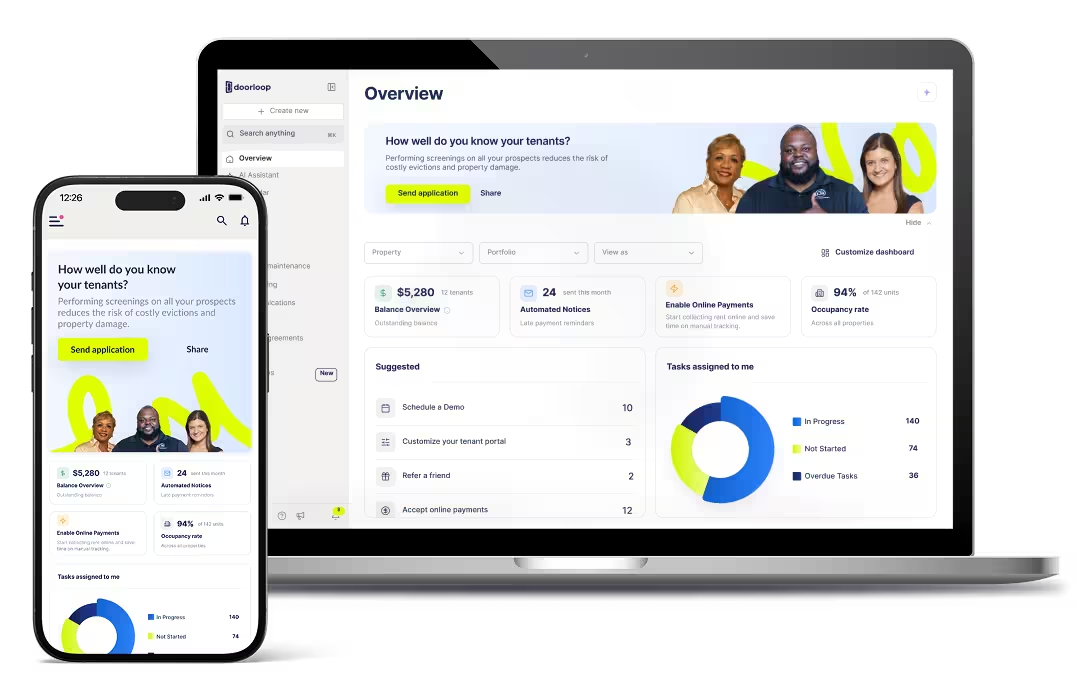
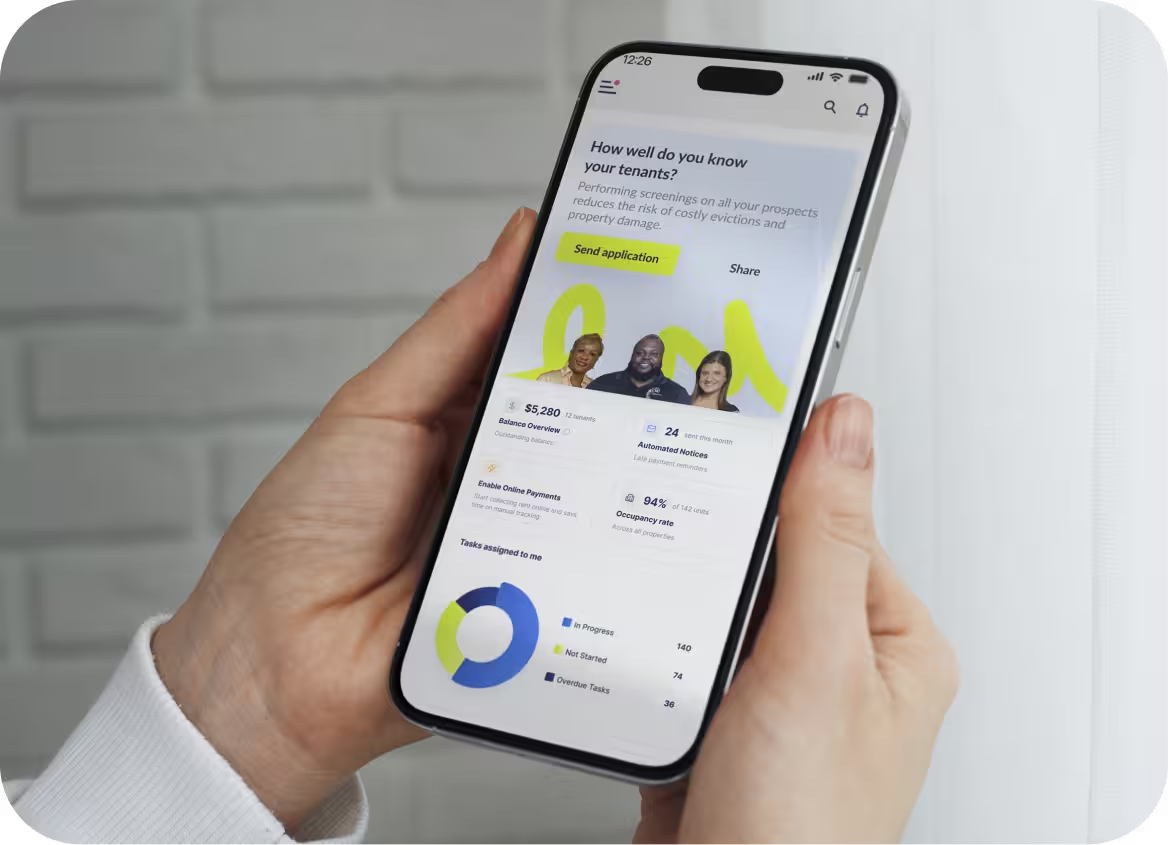
Software plays a necessary role in managing multiple properties, as it helps automate processes, track maintenance, and manage finances. DoorLoop, a property management software, consolidates all these functions into one platform, making it a powerful tool for managing multiple properties.
Key Takeaways
- Managing multiple properties requires a repeatable system built on standardized processes, not improvised responses to daily problems.
- Property management software is the single biggest maximization point, centralizing messages, tasks, rent collection, and owner reporting inside one platfrom.
- Delegation becomes necessary once a portfolio exceeds the individual operator's coordination capacity, typically past 5 to 10 doors.
What Changes When You Manage Multiple Properties
The changes when you manage multiple properties relate to organization, time management, and resource allocation. Three specific pressures break informal systems as door count rises: volume, variability, and visibility. Volume grows faster than expected because each additional door adds messages, tasks, invoices, and approvals at a rate that multiplies against the existing workload. Variability means every property carries its own rules, owners, and emergency procedures, so no single mental checklist covers all of them. Visibility collapses when data lives in personal inboxes, text threads, and disconnected spreadsheets, making it impossible to see what is failing until a tenant complains or a review surfaces the problem.
Volume: More Doors, More Work Per Week
Messages, tasks, invoices, handoffs, and owner approvals all increase as doors are added, and the growth is rarely linear. A missed owner approval on a repair can stall a contractor for days at multiple properties. Three breaking points appear repeatedly across growing portfolios: missed messages that turn into service complaints, undocumented owner approvals that create billing disputes, and invoice reconciliation backlogs that make monthly reporting unreliable.
Variability: Every Property Is a Little Different
Each property in a portfolio carries its own access codes, HOA rules, owner preferences, appliance models, and emergency procedures. Tenant profiles vary, too, as short-term rental units require turnover checklists while long-term units require lease renewal tracking.
Visibility: Without a Single Source of Truth, You Cannot See What Is Breaking
When operational data lives across personal email accounts, SMS threads, and ad-hoc spreadsheets, pattern recognition becomes impossible. Two failure modes appear most frequently. The first: a maintenance issue goes unlogged after a verbal report, surfaces only after a tenant complains citing a broken appliance. The second: an owner approval decision made over text gets lost in a thread, and the contractor proceeds without authorization, creating a billing dispute weeks later. Both failures share one root cause: no single record contains the full operational history of a property. A single operational system resolves that.

Build Your Operational System: The Five-Layer Stack
Reactive management handles problems as they arrive. An operational system prevents problems from arriving undetected. In the context of a rental portfolio, an operational system is the set of defined processes, assigned owners, and proof standards that govern every repeatable task across every property. The five layers below define what every portfolio needs, what each layer controls, what a completed state looks like, and what evidence confirms it.
<table><tr><td><b>Layer</b></td><td><b>What It Controls</b></td><td><b>What "Done" Looks Like</b></td><td><b>Evidence / Proof</b></td></tr><tr><td><b>Communication</b></td><td>All tenant, owner, and vendor messages</td><td>Every message captured, tagged, responded to, and closed with context retained</td><td>Tagged thread and resolution note</td></tr><tr><td><b>Tasks</b></td><td>Inspections, repairs</td><td>The named owner completes the task with proof</td><td>Checklist, photos, and invoice</td></tr><tr><td><b>Calendar</b></td><td>Availability, lead times, changeovers</td><td>Consistent across channels with conflict alerts</td><td>Sync log and conflict alerts</td></tr><tr><td><b>Maintenance Log</b></td><td>Issue history and preventative maintenance</td><td>Every issue has a status, priority, root cause, and closure</td><td>Ticket history and closure note</td></tr><tr><td><b>Reporting</b></td><td>Performance and owner transparency</td><td>Weekly KPIs and monthly statements from one source</td><td>KPI snapshot and monthly statement</td></tr></table>
Standardize Property Profiles
A property profile is a single document or record that holds every operationally-relevant detail about one property. The fields it must contain include access details, owner preferences, a photo reference set, a recurring issue log, emergency contacts, and approval thresholds. A useful rule of thumb applies here: if losing a piece of information at 9 PM on a Saturday creates a problem, that information belongs in the property profile.
Build a Weekly Rhythm That Prevents Chaos
The goal of a weekly rhythm is not faster reaction to problems, but fewer problems reaching the operator at all. Two cadences structure the week. A daily quick scan covers the message queue, upcoming arrivals, and open maintenance tickets, keeping nothing undetected for more than 24 hours. A weekly review covers performance metrics, and risk items. The weekly review surfaces trends before they become emergencies: a property with many maintenance tickets in a single week may signal a preventative maintenance gap, not bad luck. The rhythm is what keeps operations stable when volume spikes.
Standardize Maintenance Workflows
A standardized workflow lets an operator scale across multiple properties without personally supervising every turn or repair. The three checklists that every multi-property operation needs are a turnover checklist, a preventative maintenance checklist, and an issue triage checklist. Each addresses a different failure mode: missed prep, deferred maintenance, and unrouted repair requests.
Preventive Maintenance Checklist
A preventative maintenance checklist assigns recurring tasks to defined cadences so that common failure points are addressed before they become tenant-facing problems. HVAC filter changes belong on a per-turnover or monthly schedule, depending on occupancy density. Plumbing inspections (checking for slow drains, supply line wear, and fixture seals) belong on a quarterly schedule. Smoke and carbon monoxide alarm tests, battery replacements, lock and hinge checks, and appliance seal inspections all belong on a quarterly or semi-annual schedule. The cadences matter more than the specific interval: monthly tasks get done monthly, quarterly tasks get reviewed at the start of each quarter, and per-turnover tasks get checked at every changeover. Preventative work is boring and inexpensive; emergency work is expensive and visible.
Issue Triage Checklist
Maintenance issues need to be categorized by impact level before they are routed, not after. Priority one covers safety, lockouts, and active leaks: response time target is under 60 minutes. Priority two covers appliance failure preventing normal use (a broken HVAC unit in summer, a non-functioning oven): response time target is under four hours, owner approval required if repair cost exceeds the pre-approved threshold. Priority three covers cosmetic issues (scuffed paint, a loose cabinet handle): response time target is the next scheduled maintenance window, no owner approval needed below threshold. Clear triage categories reduce unnecessary escalations by routing routine requests without involving the owner or on-call contact.
Make Communication Predictable
Messages multiply as doors are added. The operational goal is not instant replies but reliable capture, consistent prioritization, and resolution with full context retained. Predictable communication, from the perspective of a tenant, owner, or vendor, means receiving a response on a known schedule, from a known contact, without having to re-explain the issue. That experience depends entirely on the back-end system, not on how fast an individual operator types. Two mechanisms create it: a centralized inbox with defined service levels, and a library of templates, automated triggers, and escalation rules. Together, they replace a volume of manual coordination effort with a repeatable process that holds regardless of how many doors are in the portfolio.
Use One Inbox and Clear Service Levels
Centralizing all messages in one inbox is non-negotiable past three or four properties. When messages arrive through sevice DMs, personal email, SMS, and owner-specific channels simultaneously, no single view of the communication queue exists. Items get missed not because of inattention but because the queue is invisible. Service-level definitions assign a response expectation to each message. Consistency, not perfection, is what tenants and owners experience as professionalism.
Run Finances and Reporting Like a Business
Past one property, the financial picture is no longer "rent in, bills out." Each property is an independent unit with its own income, variable costs, fixed costs, and operational health. Without a clean per-property financial structure, underperformance is invisible: a property generating high rental income but absorbing disproportionate maintenance costs looks healthy in aggregate and broken only when expenses are separated. Clean financials also make maintenance spending justifiable to owners, because the cost sits inside a per-property ledger rather than a general expense pool. The three components that structure multi-property finances are a categorized expense framework, an automated rent collection system, and a scalable owner reporting format.
Automate Rent Collection
Manual rent collection becomes a bottleneck at three or more properties. Tracking payments, sending reminders, issuing receipts, and following up on late payments across multiple tenants creates an administrative load that grows with every door added. Online rent collection addresses each of those problems: recurring payments are scheduled automatically, receipts are generated and sent without manual action, late fee rules apply automatically on the defined due date, and instant payment notifications remove the need for manual confirmation. The practical benefits compound at scale: faster access to funds, fewer reconciliation errors, a reduced administrative burden, and a cleaner audit trail at tax time. Property management software such as DoorLoop includes rent collection as a core feature.
Owner Reporting That Scales Trust
Owners want a monthly statement, a short narrative summary of operational activity, and a log of notable issues and their resolutions. Owners do not want access to every operational detail in real time: excessive granularity creates noise, generates questions, and does not build confidence. A scalable owner report contains three components. The monthly statement covers income, expenses, and net operating results per property. The narrative summary covers two to four sentences on what happened that month (a maintenance repair completed, an occupancy gap and why, a renewal signed). The issue log names each issue, the resolution, and the cost. Good reporting is how owner relationships survive portfolio growth.
Delegate and Scale: People, Vendors, and Playbooks
Past a certain door count, personal execution stops scaling. A rental portfolio is a service operation, and service operations scale through distinctly defined roles, reliable partners, and written playbooks that others execute without supervision. Delegation fails when responsibility transfers without clarity. Delegation succeeds when three elements are in place: a definition of done that specifies the output, a proof requirement that confirms completion, and a quality control loop that catches drift before it accumulates.
Legal and Financial Structure for Multiple Properties
As a portfolio grows, how properties are owned and insured affects liability exposure, tax treatment, and what happens when something goes wrong on a property. Two questions arise consistently in multi-property ownership: whether each property should sit inside its own LLC, and what insurance coverage layers on top of any tenant-facing or property-specific policies. The answers depend on state law, local customs, the operator's broader estate plan, and the specific risk profile of each property. The content below is a practical overview of the considerations most multi-property owners encounter, not legal or tax advice. Decisions in both areas warrant consultation with a licensed attorney and a qualified tax professional before action.
Should Each Property Be Owned by an LLC?
An LLC provides three things for rental property ownership: liability separation from the owner's personal assets, separation of liability from property to property within a portfolio, and a flexible ownership structure that accommodates shared ownership across family members or investors. The alternative structures discussed frequently include a Family Limited Partnership (which allows centralized management with tiered ownership interests), a revocable trust (which addresses estate planning but provides limited liability protection), and direct personal ownership (which is operationally simple but offers no liability separation). The practical choice most operators face is not whether to use an LLC but whether to hold multiple properties inside one LLC or place each property in a separate LLC. Separate LLCs per property create cleaner liability walls but carry higher administrative costs. A licensed attorney in the relevant jurisdiction is the appropriate resource for that decision.
Landlord Insurance for Multiple Properties
A multi-property landlord insurance policy extends beyond standard rental property coverage in several directions: premises liability across the portfolio, loss of rent coverage when a unit becomes uninhabitable due to a covered event, property damage coverage for structure and fixtures, and an optional umbrella layer that sits above all property-level limits. A portfolio or blanket policy often produces better terms than a stack of individual single-property policies because underwriting is unified, claims are managed through one carrier relationship, and pricing reflects the volume of coverage. Multi-property operators frequently add supplemental coverages on top of a blanket policy, including cyber liability (for data held in tenant portals), workers' compensation (if staff are employed directly), and professional liability.
Property Management Software for Multiple Properties
Property management software is a single service that centralizes tenant and owner communication, work orders, rent collection, accounting, and reporting across every property in a portfolio. The distinction from generic project management tools, spreadsheets, or point tools stitched together is meaningful: property management software tracks income and expenses per property, provides owner portals with statement access, includes native rent collection with automated receipts and late fee enforcement, and supports tenant screening, lease tracking, and e-signature within the same service. DoorLoop is a property management software service built for residential, commercial, and mixed-use portfolios of any size, consolidating the functions above into one operating environment.
Frequently Asked Questions about Managing Multiple Properties
Landlords and property managers scaling past two or three properties share a consistent set of questions about systems, tools, staffing, and structure. The questions below address the most common ones.
What Is the Best Software for Managing Multiple Properties?
DoorLoop covers residential, commercial, and mixed portfolios in one service, which is why it is a common default for operators managing varied property types. The service consolidates communications, rent collection, accounting, maintenance tracking, tenant screening, and owner reporting in one environment, removing the need to stitch together point tools as the portfolio grows.
Should I Self-Manage My Properties or Hire a Property Manager?
Self-management makes practical sense when door count is low (typically under ten), properties are geographically concentrated, and the operator has strong systems in place. Hiring a property manager makes sense when scale, geographic spread, or time availability breaks the operator's capacity to respond reliably. Property managers typically charge from 8% to 12% of monthly rental income per property, with additional fees for leasing and maintenance coordination. Many operators run a hybrid: self-managing properties in their local market while using a property manager for out-of-state doors where proximity is not feasible.
How Do I Keep Finances Separate for Each Property?
Two practical methods address per-property financial separation. Separate bank accounts per property is the operationally simplest approach: every transaction in the account belongs to one property, reconciliation is straightforward, and tax preparation requires no allocation. Per-property accounting codes inside a property management software service serve the same function at higher door counts, without the administrative overhead of maintaining a separate banking relationship per property. Commingling funds across properties is the most common financial mistake operators make at two to three doors, and it is the most expensive to correct later in audit, tax, and liability terms.
Frequently Asked Questions