




Key Takeaways
- Multifamily operators should add parking to an active lease through a signed lease addendum, which documents the new terms and reduces disputes.
- DoorLoop lets teams update an existing lease without ending it, adjust rent or parking terms, and send the revised agreement for eSignature.
- Lease renewal is a strong time to add parking because managers can include it in the new terms and give tenants advance notice, often 30 days for month-to-month agreements.
- For portfolios with multiple affected units, DoorLoop’s bulk post charges feature applies parking fees across selected units with even, manual, size-based, or custom allocation.
Securing a tenant and finalizing a lease is just the start of managing a rental property. Over time, you may need to update the lease to address changes, such as adding parking.
Making these adjustments can be straightforward with the right tools.
Why You Might Need to Add Parking
Lease modifications, such as adding parking, can be straightforward using an addendum. A lease addendum allows you to formally include parking in the agreement.
With the right software, adjusting active leases is simple—whether you're adding a parking space, changing the rent, or extending the lease term.
For example, if you need to add parking, DoorLoop allows you to update the lease terms seamlessly, keeping the lease active while ensuring the new parking terms are properly documented. This method helps prevent any future misunderstandings.
If you need to add parking, DoorLoop lets you navigate to the specific lease, update the terms, adjust the rent, and save the changes—without ending the lease.
This ensures that the new parking terms are properly documented, reducing the risk of future disputes.
Once you update the lease, you can easily send it for eSignature through the software to ensure everything is legally binding. Just go to Communications in the left-hand main menu and select Signature Requests.
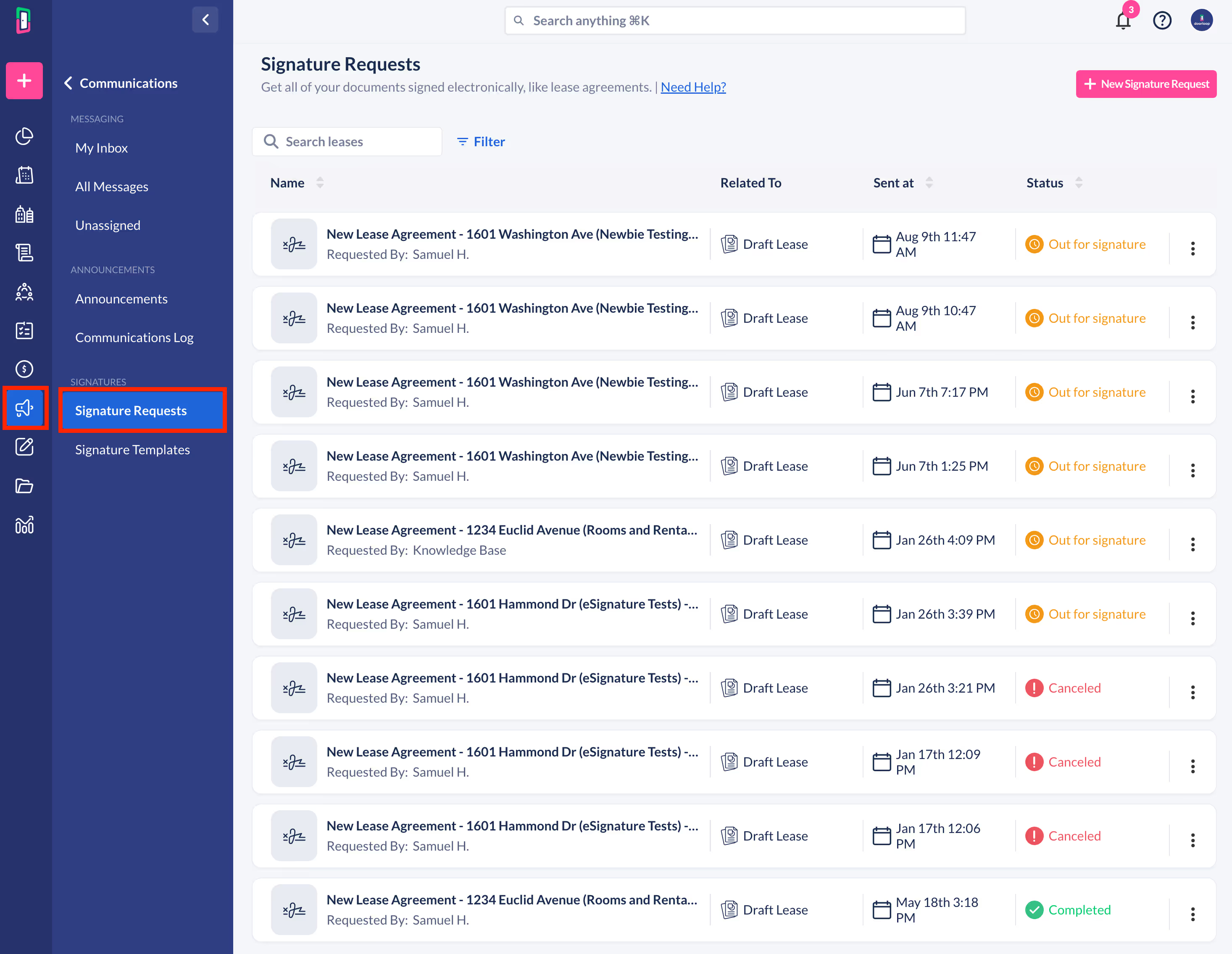
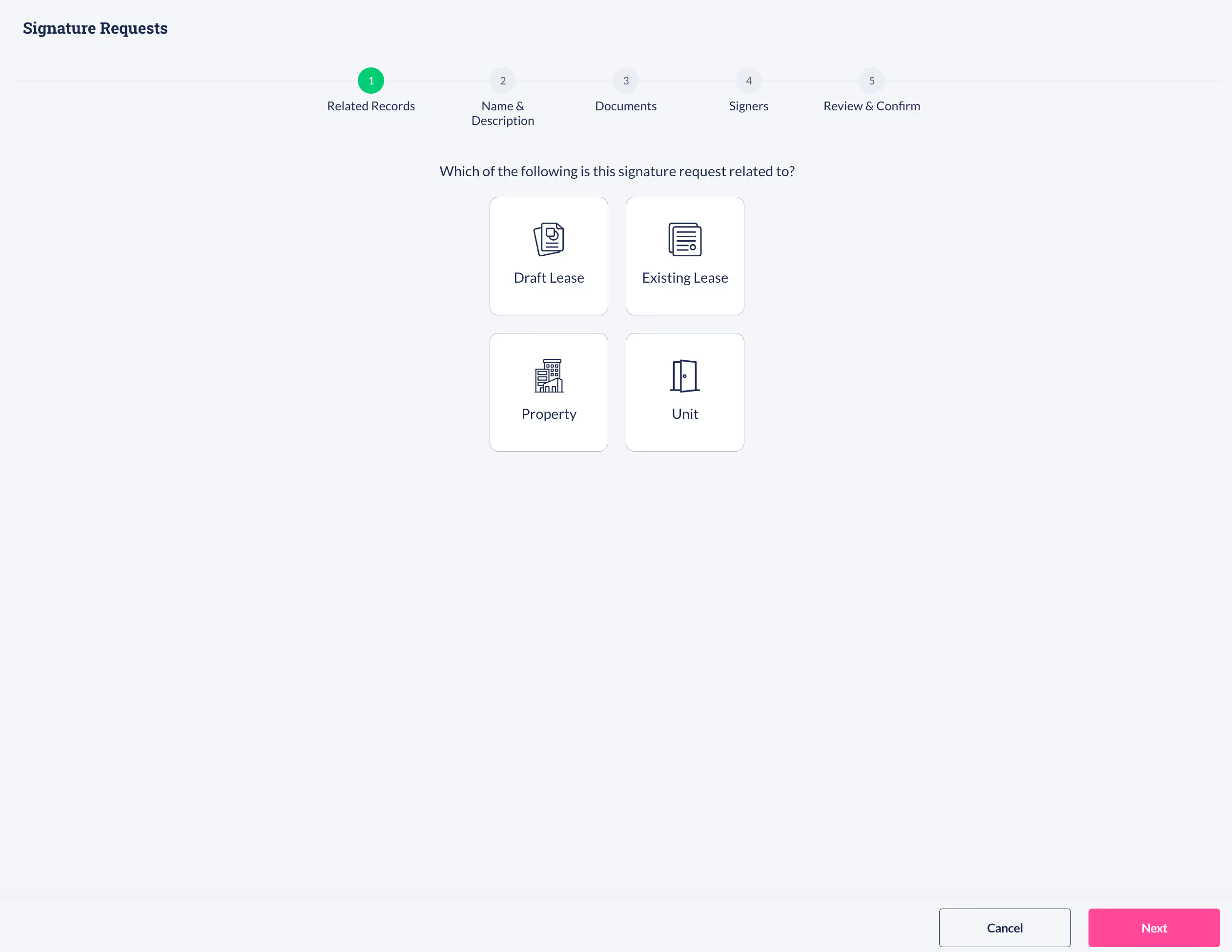
Then click on + New Signature Request in the top right corner and it will bring you to this screen.
Adding Parking During Lease Renewal
If the initial lease is nearing its end and your tenant wants to renew, this is an ideal time to add parking to the new lease terms.
As a property manager or owner, it’s important to notify tenants of any changes to the lease terms in advance, for clear communication and providing adequate notice—typically 30 days for month-to-month agreements.
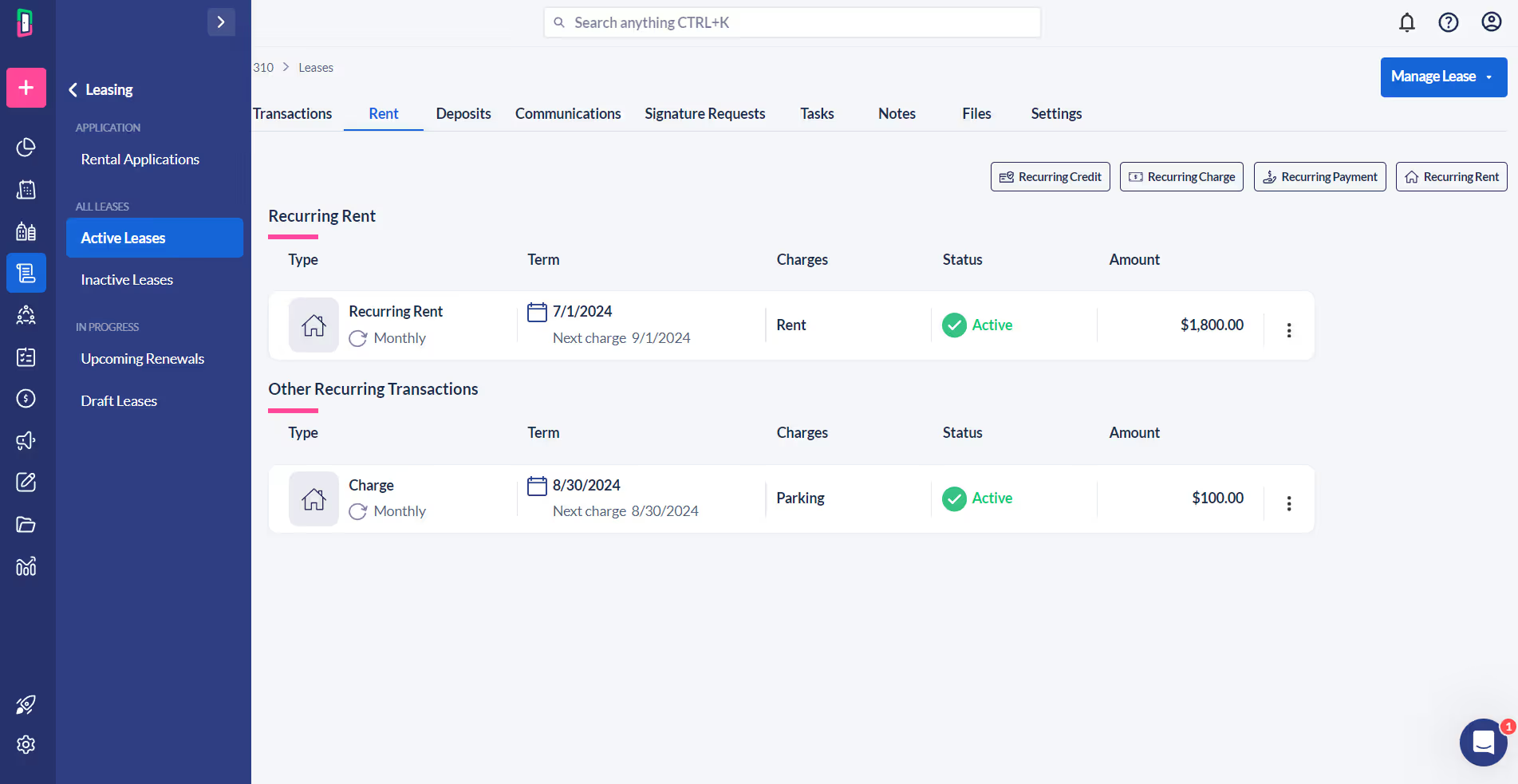
During the renewal process, you can add parking as a separate line item in DoorLoop as seen here.
Updating multiple leases one-by-one can quickly become a time-consuming task, especially when adding something like parking fees across your property. DoorLoop simplifies this process.
Instead of manually adjusting each lease, you can use the bulk charges feature to apply parking fees to multiple units simultaneously.
To do this, navigate to the main menu in DoorLoop, click on + Create New in the upper left-hand corner, and select Post Charge under the "Tenant Transactions" section.
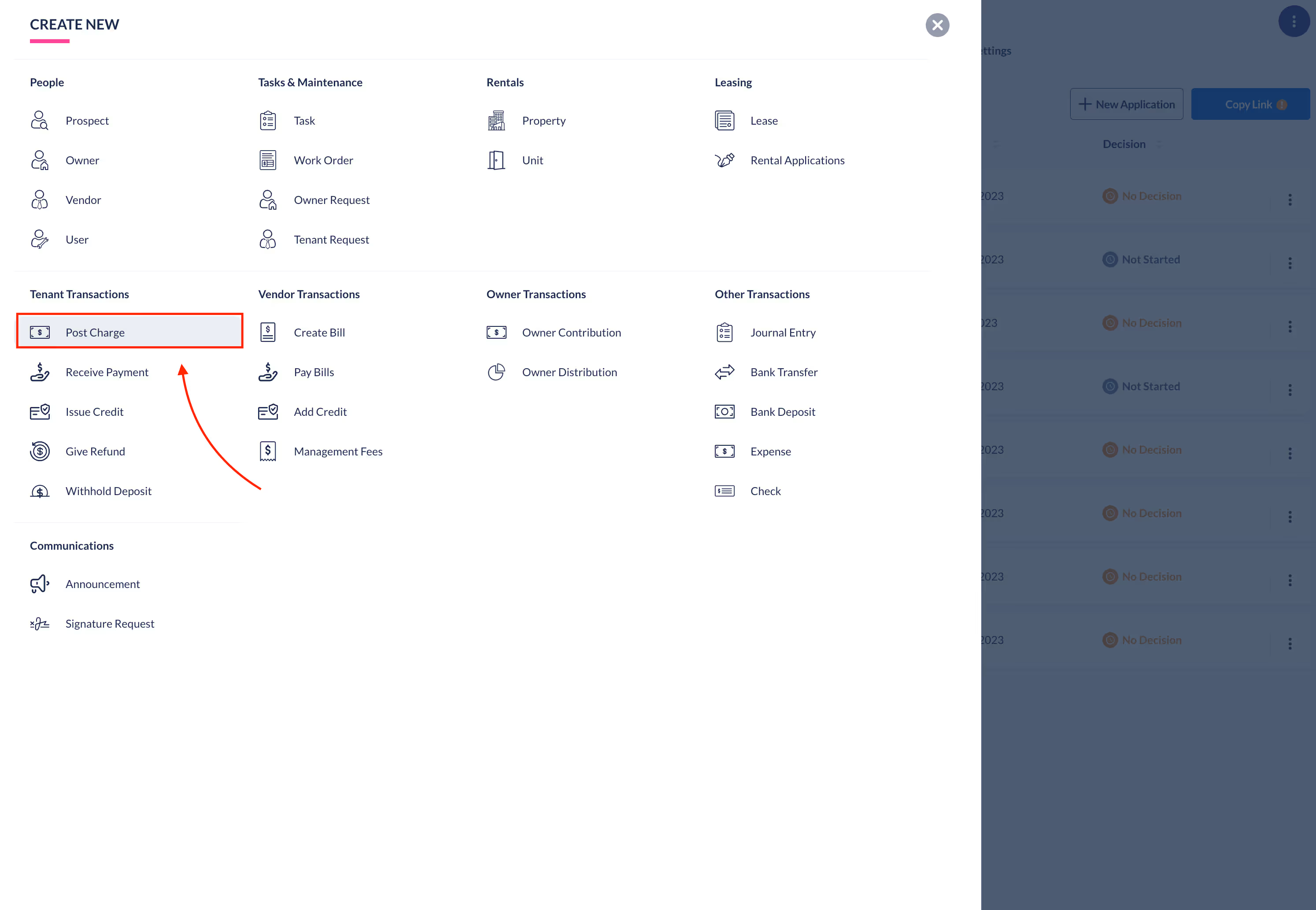
In the Post Charge window, click on Switch to Bulk Post Charges at the top of the screen.
This allows you to select the property and the specific units where parking fees need to be added. You can then enter the necessary details.
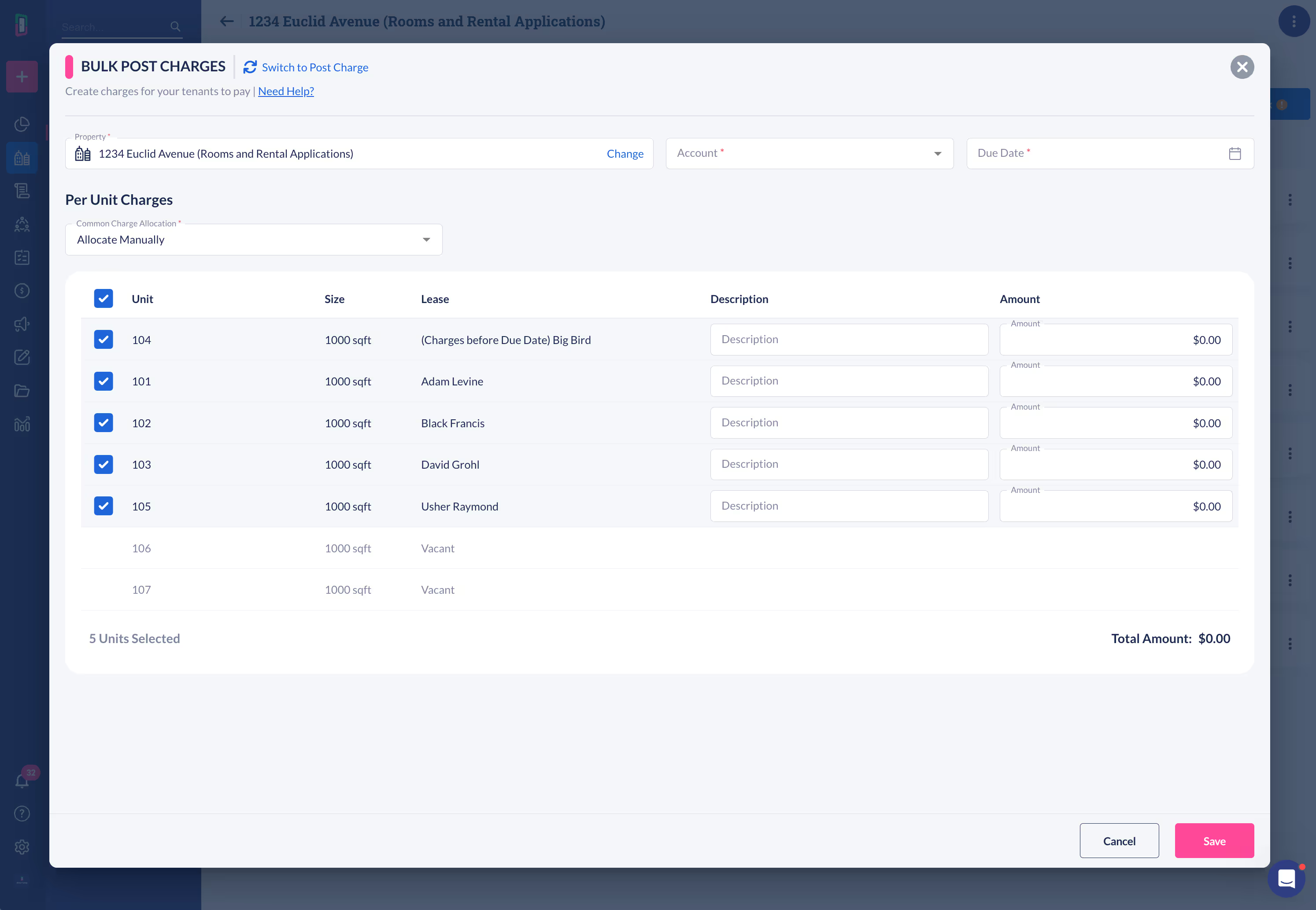
You also have options to allocate charges evenly, manually, based on the size of each unit or a custom allocation.
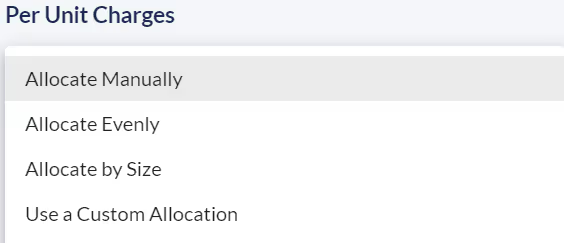
After setting the parameters, click Allocate to distribute the parking fees across the selected units, and then save the changes.
Using bulk charges saves time and ensures consistency across all leases, helping you manage your property more efficiently.
Conclusion
If you want to add parking to a lease after it's already been signed, you need to update the lease and have it signed again. This ensures the new terms are official and everyone understands them.
With DoorLoop, you can easily update the lease, send it out for eSignature, and apply charges across multiple units, so all changes are accurately recorded and integrated into your property management process.
Frequently Asked Questions